

Inside the five-shot chase
These five frames come from the sample above. Your video can interpret the same story differently.
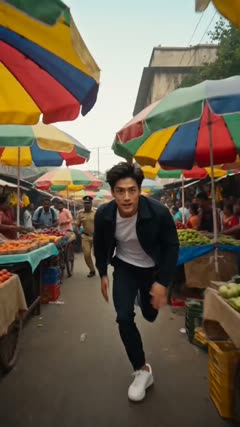
Sprint through the market
The camera tracks the runner between colorful stalls as the pursuit begins.
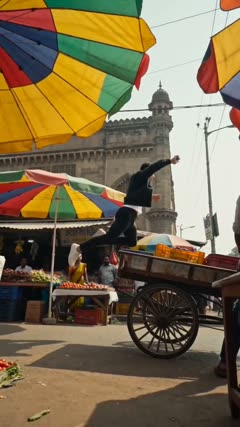
Clear the handcart
A side view opens up the leap from the market toward the road.
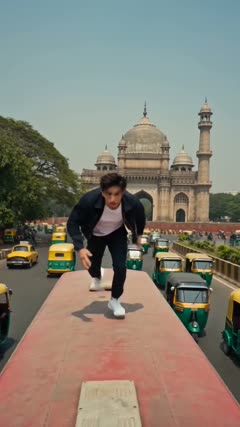
Run across the bus roof
The runner lands above the traffic and heads toward the camera.
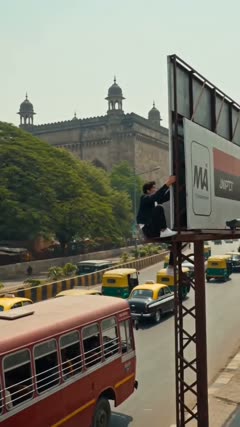
Climb the billboard
The action moves from the bus to the roadside steel frame.
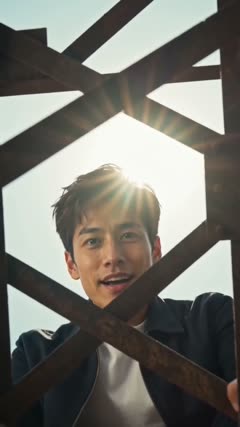
Finish above the street
A low-angle close-up brings the character back into focus.
What is an AI police chase video?
It is a short fictional action scene that casts a person or pet from a photo as the lead. The market gives the chase a clear starting point, the wide shots show how the action builds, and the final close-up lets viewers recognize the character again. This template fits that arc into a ten-second vertical clip.
What can you make with the chase template?
Open a video with a mini action trailer
Cast yourself in the chase and use it as the opener for a short. Add your title over the closing close-up in your video editor, then cut to the main video.
Give your pet an action-comedy cameo
Start with your pet's everyday photo, then cut to its chase scene. Add a caption that sets up the joke, such as “when the treat bag opens.”
Make a photo-to-video reveal
Show the original portrait briefly before the market shot. The jump from a still photo to a moving camera gives the viewer something specific to compare.
Common issues and how to improve the result
The lead looks different after a cut
Compare a clear frame from the opening with the final close-up. If the face or coat markings drift, try a sharper photo that shows those features clearly. Keep the model the same to compare the two photos.
A jump or climb looks awkward
Pause on the bus landing or the climb and check how the limbs move. If the reference crops the body tightly, try a wider photo that shows the person's build or the pet's legs. Review the same moment in the new clip.